Xcode 26.3 RC ships with a built-in coding agent. Out of the box, it supports OpenAI Codex and Anthropic Claude. You pick your provider, enter your API key, and you’re good to go. That’s great for getting started quickly.
But here is the thing. When you use Claude directly through Anthropic’s API, your code, your prompts, and your context all travel through Anthropic’s infrastructure. For a personal side project, that’s probably fine. For anything related to your company’s codebase, you might want to think twice. I know I did.
I want the Xcode coding agent to use Claude models, but hosted on Amazon Bedrock, inside my AWS account. I don’t want to multiply billing accounts and manage yet another vendor relationship. I already have an AWS account, I already have consolidated billing, I already have guardrails and IAM policies in place. Bedrock lets me access Claude Opus and Claude Sonnet models while keeping all that infrastructure under one roof.
The problem is that Xcode doesn’t speak the Bedrock API. Xcode sends requests using the OpenAI Chat Completions API, and Bedrock expects its own request format. You can’t just point Xcode at your Bedrock endpoint and call it a day.
So I need a proxy. Something that sits between Xcode and Bedrock, translates the API calls on the fly, and forwards them to the right place.
Now, there are two ways to go about this, and the choice depends on how sensitive your data is.
If data privacy is your main concern, and it should be when you’re working with proprietary code, you want to write or operate your own proxy. A small Lambda function behind an API Gateway, a container running on ECS, or even a local process on your machine. That way, your prompts and your code context never leave your infrastructure. The data stays within the boundaries of your AWS account from end to end. I’ll cover that approach in a future post.
For demo projects and personal work, I’m perfectly fine with my data transiting through a third party. And that’s the approach I’ll walk through today using OpenRouter. It’s faster to set up, requires zero infrastructure on your side, and gets you up and running in minutes. Just be clear-eyed about it: your data will pass through OpenRouter’s servers on its way to Bedrock.
Here is the architecture.
flowchart LR
    A["🖥️ Xcode 26.3 Coding Agent"] -->|"OpenRouter API Key"| B["🔀 OpenRouter (Proxy)"]
    B -->|"Bedrock API Key"| C["☁️ Amazon Bedrock (Claude Model)"]
    C -->|"Response"| B
    B -->|"Response"| A
Xcode talks to OpenRouter using an OpenRouter API key. OpenRouter talks to Bedrock using AWS credentials. Two API keys, two hops. Your model inference runs on Bedrock, but the data does transit through OpenRouter along the way.
Let me walk you through the setup.
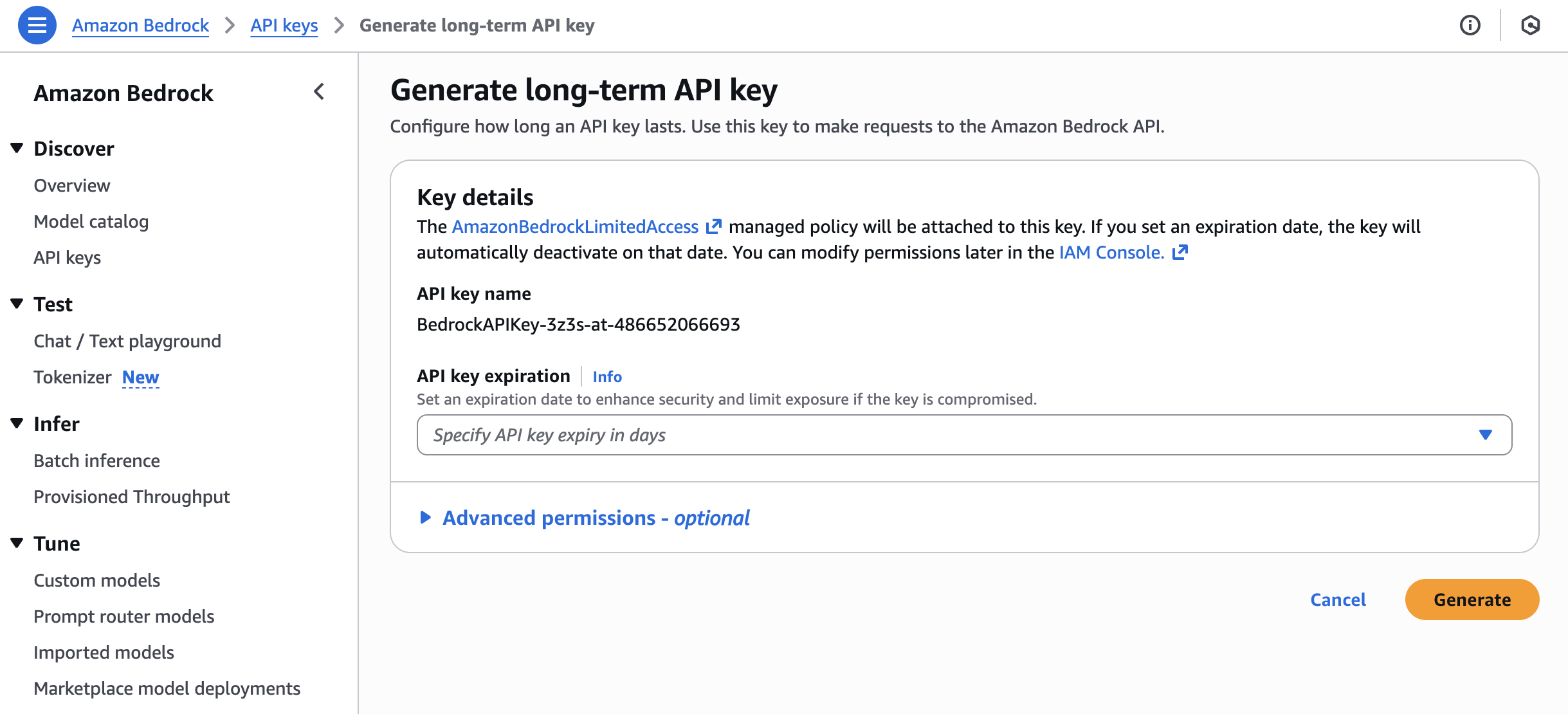
Step 1 - Create an API Key for Amazon Bedrock
First, you need a Bedrock API key that OpenRouter can use to call Bedrock on your behalf. Amazon Bedrock supports two types of API keys.
Short-lived keys are valid for up to 12 hours and inherit permissions from the IAM principal that generated them. They are the recommended option for anything beyond quick testing.
Long-lived keys last up to 265 days and can be generated with a single click from the Bedrock console. They come with basic permissions to invoke models. AWS recommends using them for exploration only, but for a personal demo setup like this one, they do the job just fine.
Head to the Amazon Bedrock console, make sure you are in a region where the Claude models are available, and generate a key.
For the full details on how Bedrock API keys work, check the official documentation.
Step 2 - Create an Account on OpenRouter
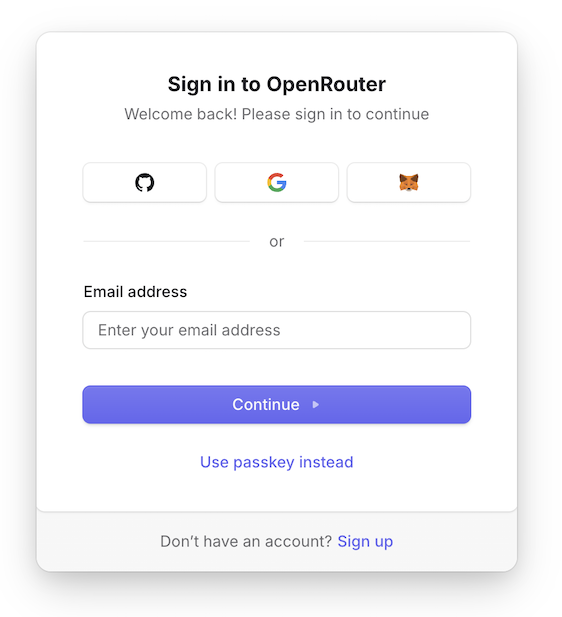
Go to https://openrouter.ai/ and sign up. Nothing special here, a standard account creation. You can sign in with Google or GitHub if you want to keep things simple.
Step 3 - Create an API Key on OpenRouter
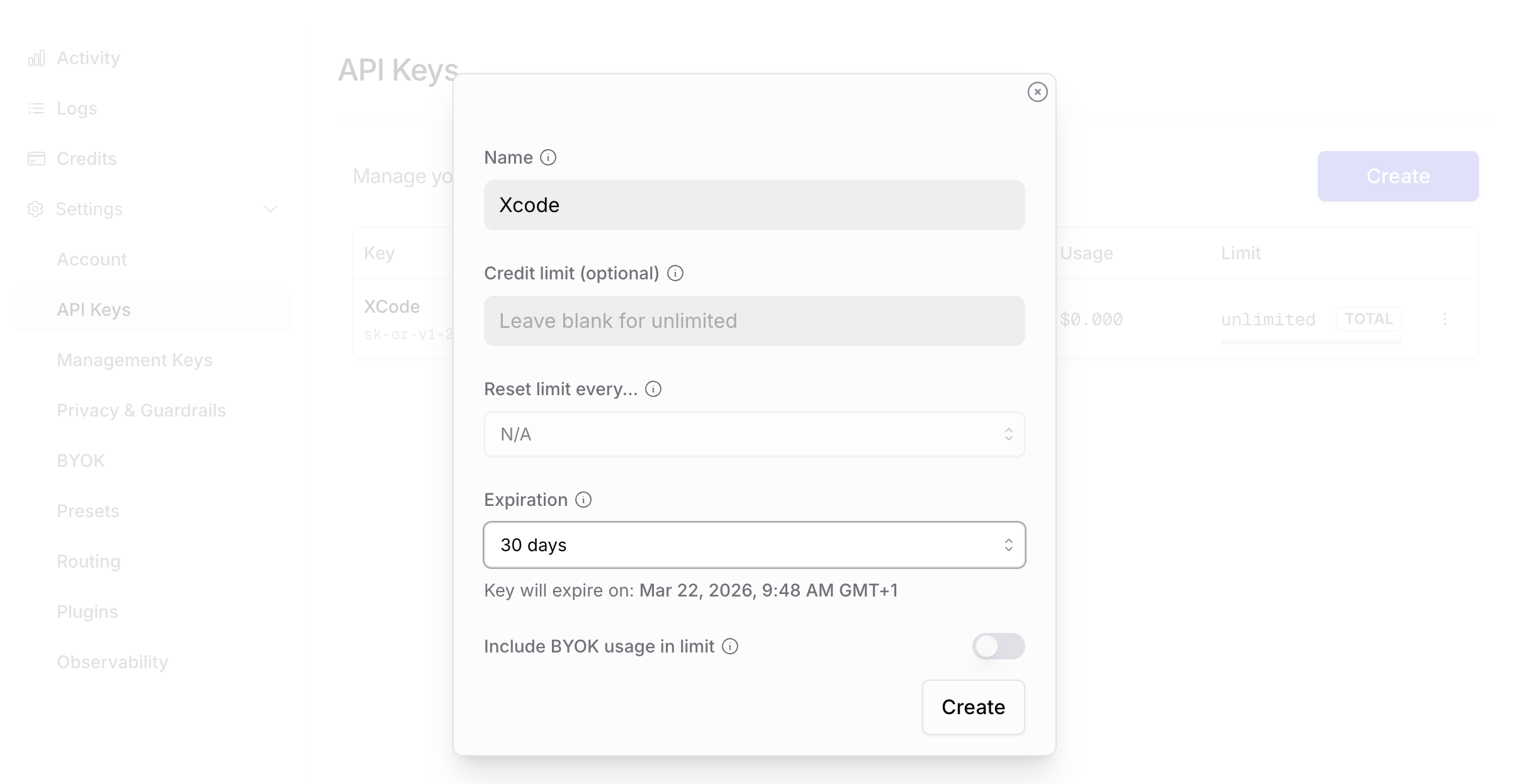
Once you’re logged in, head to the API Keys section in your OpenRouter dashboard. Create a new key. Give it a name that makes sense, something like “xcode-agent” so you remember what it’s for six months from now when you’re wondering what all these keys are.
Copy that key and keep it somewhere safe. You’ll need it in a minute.
Step 4 - Configure BYOK on OpenRouter to Use Bedrock
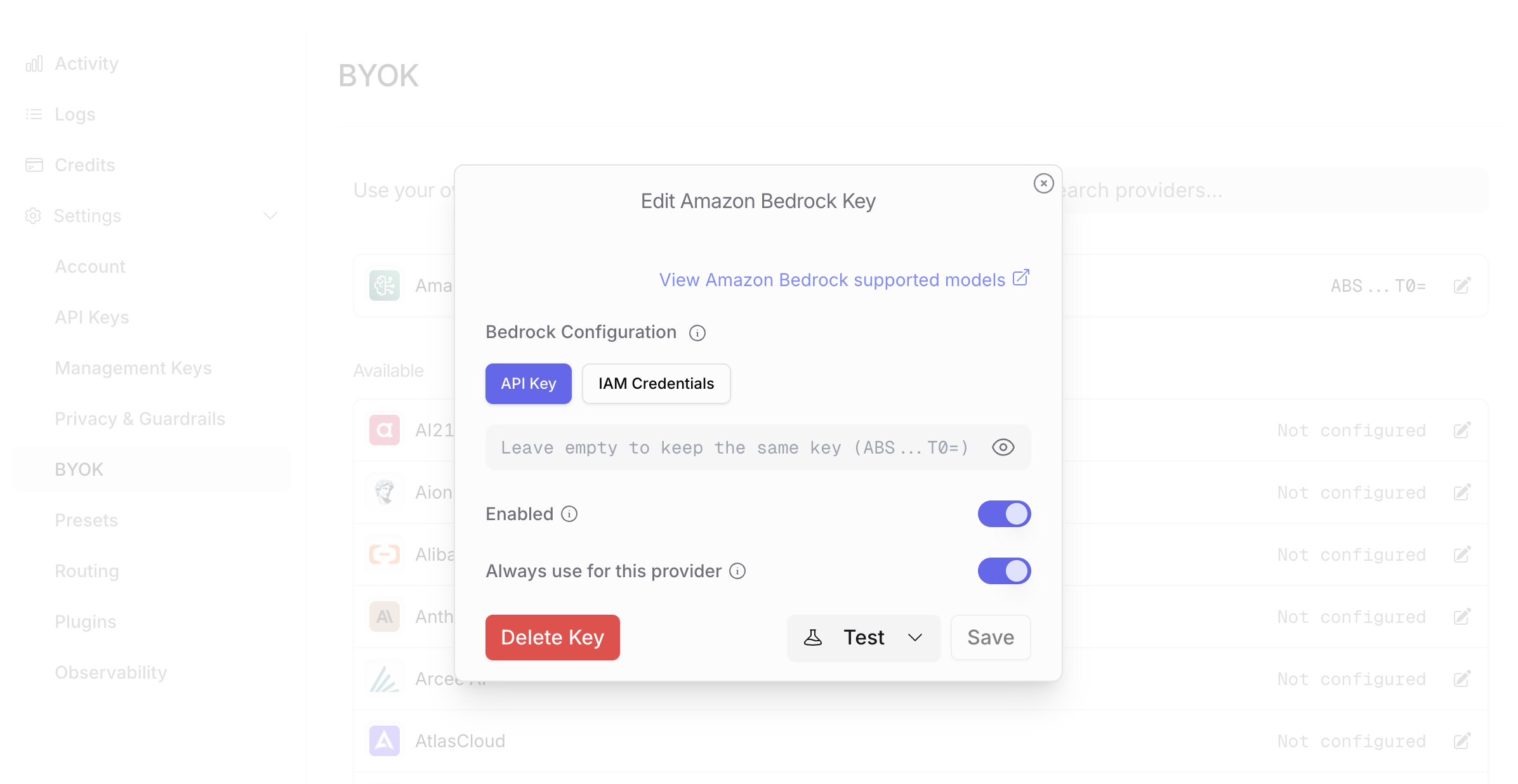
This is where the magic happens. OpenRouter has a “Bring Your Own Key” (BYOK) feature that lets you plug in your own cloud provider credentials. Go to the settings -> BYOK page in OpenRouter and find the Amazon Bedrock section.
Enter your Bedrock API Key and the region where you enabled Bedrock (for example us-east-1 or eu-west-3). OpenRouter will use these credentials to forward your requests to Bedrock instead of routing them through its own default providers.
Step 5 - Configure Xcode to Use the OpenRouter Endpoint
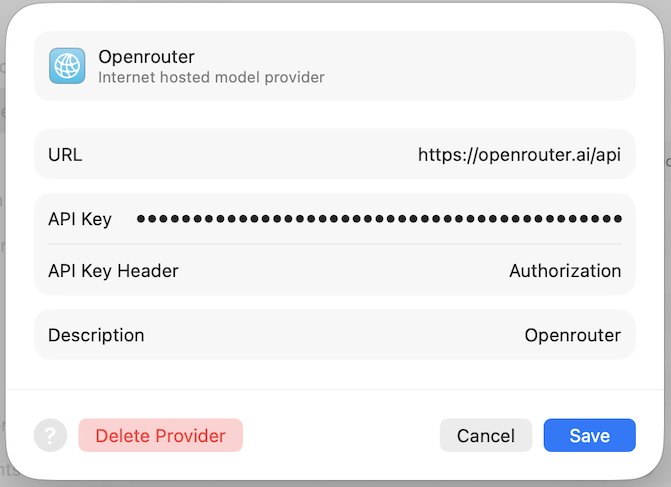
Open Xcode 26.3, go to Settings > Intelligence > Coding Agent. You’ll see the built-in options for Codex and Claude. Ignore those. Instead, select the custom endpoint option.
Enter the OpenRouter endpoint URL. At the time of writing, it’s https://openrouter.ai/api (don’t add the /v1 at the end, Xcode does it for you).
Enter Authorization as API Key Header.
Enter Bearer <your open router API key> as API Key. This is the API key you created in step 3, prefixed with Bearer and a space character as Xcode doesn’t add it automatically.
Step 6 - Select Your Model
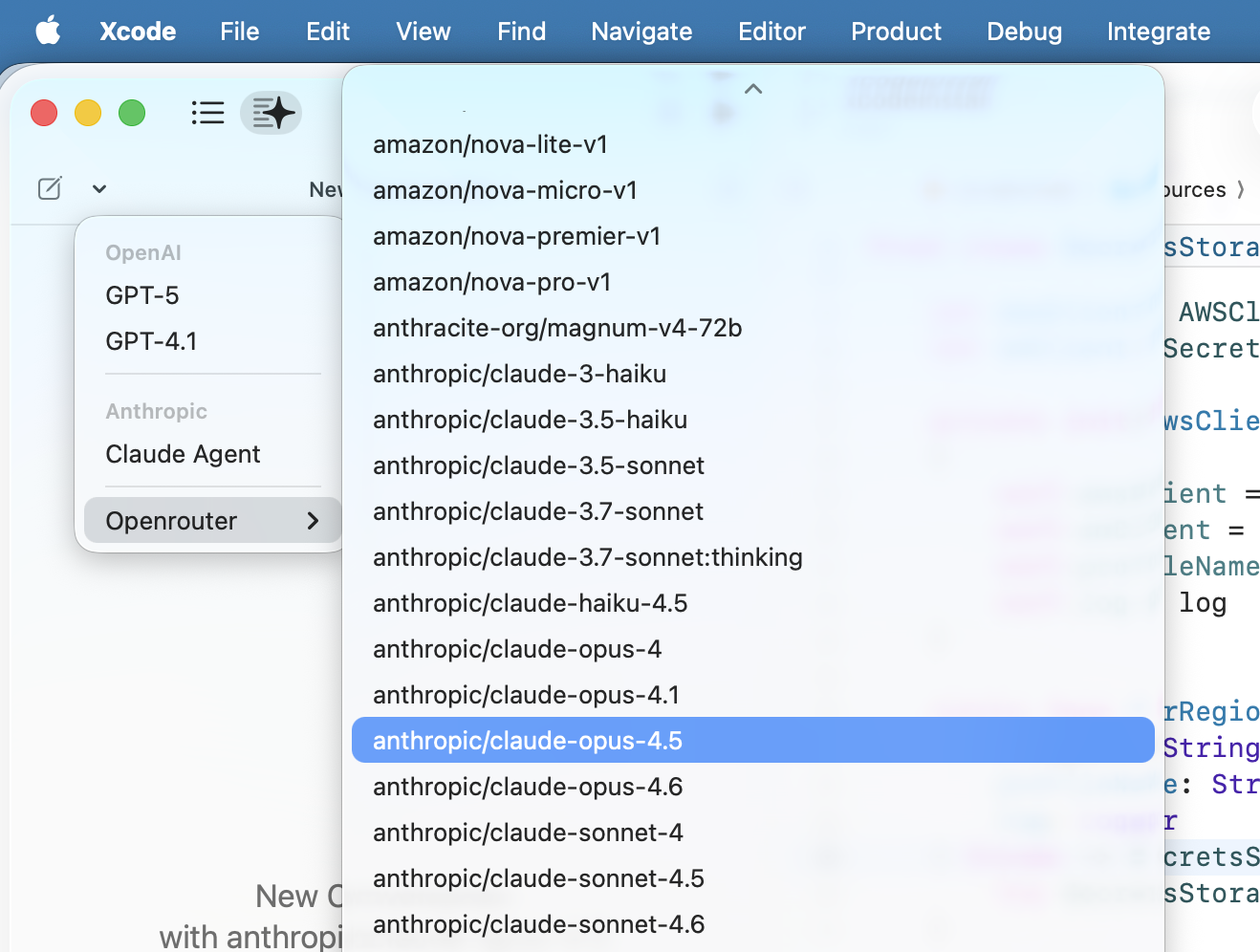
Now open the Xcode chat pane. At the top left, there is a dropdown menu. Select the OpenRouter entry. Xcode pulls the list of available models from OpenRouter, and since you configured Bedrock as your backend, you’ll see dozens of models available through Bedrock listed there. Pick the one you want. I went with Claude Opus 4.5.
Does It Actually Work?
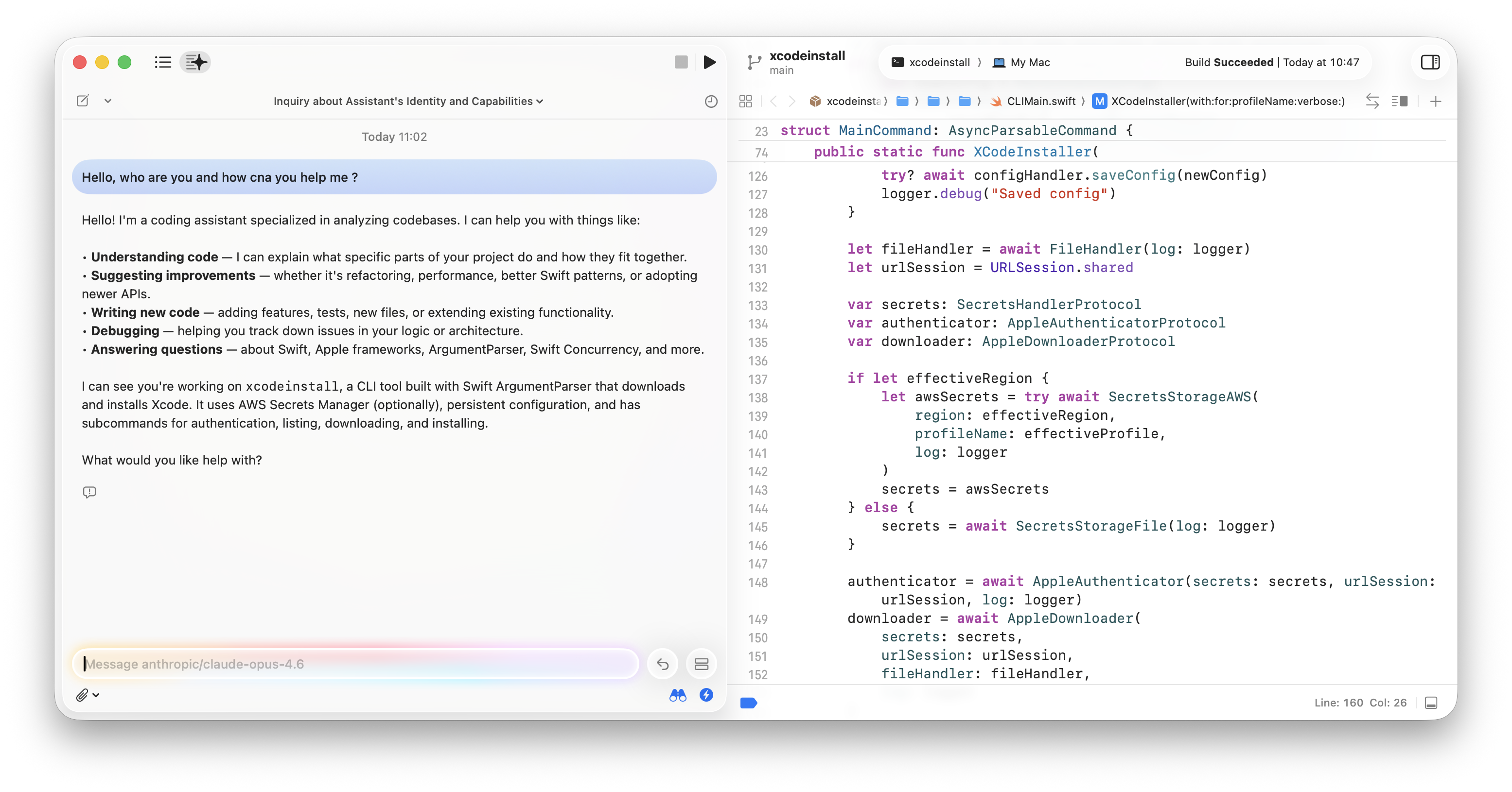
Yes. Once everything is wired up, the Xcode coding agent works exactly as it would with a direct Claude connection. You ask it to refactor a function, write tests, explain a piece of code, and it just works. The proxy is transparent. The only difference is that under the hood, model inference happens on Bedrock, inside your AWS account. Your data does transit through OpenRouter, so again, this approach is for personal projects and demos where that’s acceptable.
The latency is slightly higher because of the extra hop through OpenRouter. In practice, I barely notice it. The coding agent isn’t latency-sensitive in the way a real-time chat would be. You send a request, you wait a couple of seconds, you get your answer.
A Note on Cost
With this setup, you pay twice. You pay OpenRouter for the proxy service, and you pay AWS for the Bedrock usage.
With BYOK, the first one million requests per month through OpenRouter are free. After that, OpenRouter bills 5% of the upstream provider’s cost. For most individual developers, you’ll likely stay well within that free tier. So in practice, you’re only paying AWS for the Bedrock model usage.
If you’re working on company code where data privacy matters, skip OpenRouter, run your own proxy, and you only pay for the Bedrock usage and the cost of running the proxy itself.
Wrapping Up
The Xcode 26.3 coding agent is genuinely useful, and being able to pair it with Claude models hosted on Bedrock means you can consolidate billing and infrastructure under your AWS account. For personal projects, the OpenRouter approach I described here gets you started in about ten minutes. For production and proprietary code, run your own proxy to keep the data within your security perimeter. I’ll write about that setup next.
If you have questions or run into issues, find me on Bluesky or LinkedIn.
Happy coding!